What it looks like
The phone, the SMS inbox and the manager's live view
The agent has the phone on the right and the customer on the left: recent calls, address book and the campaign's next contact. The manager sees the same day in real time.
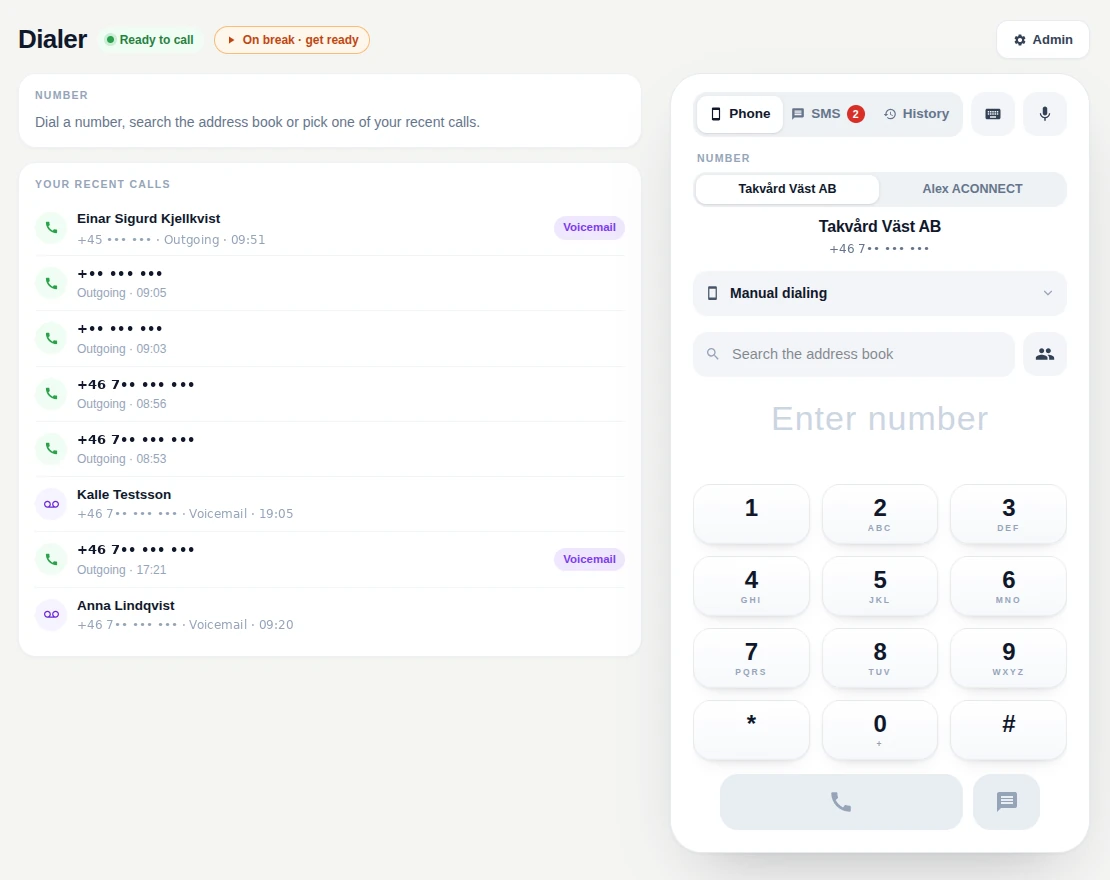
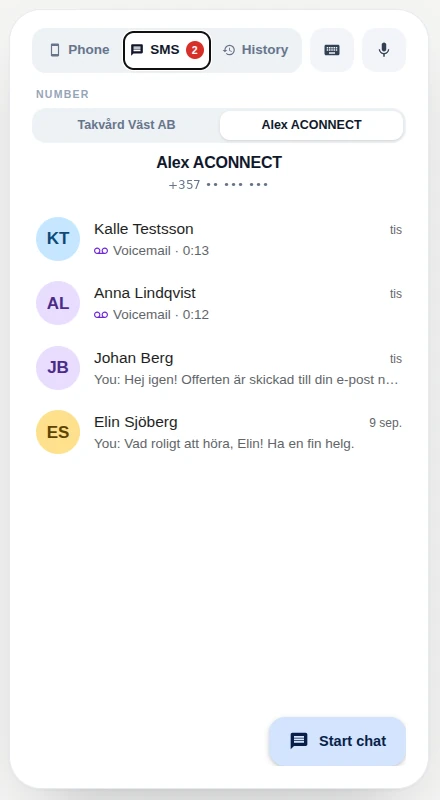
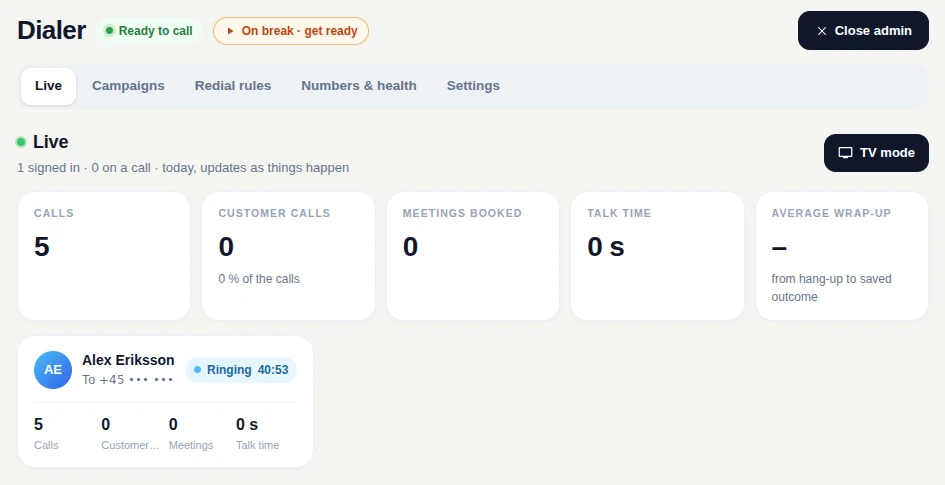
Upload the call list, switch the campaign to auto-dialing and let agents do what they do best: talk to customers. Outcome, note and callback time are saved in the same panel as the call — and the next contact is dialled right away.
The Dialer is the phone for teams that make a lot of calls a day. It lives in the browser, so an agent needs nothing but a headset and a login — no PBX, no hardware. Campaigns with call lists, auto-dialing, answering-machine detection, recording, SMS and voicemail are built in, and the manager sees the floor live. Every call lands on the customer card, so a lead worked in the Dialer carries over into the rest of the system.
Upload the list as CSV or Excel, set the maximum attempts per contact and let the campaign feed agents the next contact. The agent sees attempts, last outcome and history before it rings.
Once the outcome is saved the next contact is dialled automatically, after a short countdown you can stop. Answering machines are detected and saved as an outcome with one keypress.
Make and take calls right in the app — keypad, hold, transfer, mute and recording. Keyboard shortcuts for outcome and hang-up, so hands stay on the keyboard.
Pick the outcome, write a note and set a callback time while still on the call. Everything is logged on the customer card with time, agent and recording.
Named numbers of your own, so the agent calls as the right company. Each number has its own SMS thread, voicemail with a recorded greeting and rules for incoming calls.
Agents mark Ready or Pause, the manager sees who is calling, waiting or wrapping up right now — also on a TV on the floor. Calls, contacts and talk time per agent and campaign in real time.
The agent has the phone on the right and the customer on the left: recent calls, address book and the campaign's next contact. The manager sees the same day in real time.
We price by how you work — number of users and which apps you switch on. Tell us about your business and you will have a price for dialer within one business day.
Dialer is a module you can run on its own, but it shares data with the rest of the system. Common connections:
No. The Dialer runs in the browser with an ordinary headset, on desktop and mobile. Telephony lives in the cloud and you get your own numbers right in the app.
Yes. Set up a named number per client — the agent picks who they call as, and a customer calling back lands in the right place.
As CSV or Excel straight into the campaign. Columns are mapped to the customer card, and each contact gets a maximum number of attempts before it leaves the list.
Yes, if you switch it on. The recording is stored on the call in the customer card, and the agent clearly sees that the call is being recorded.
Per agent per month, with a pool of call minutes shared across the team; minutes beyond the pool are billed per minute. You get a price on request based on the number of agents and call volume. No lock-in.
Yes, the whole module — each agent can run it in Swedish or English, independently of the others.
Yes. The Dialer calls from leads and customer cards, and every call, SMS and outcome is logged there — so reps, managers and the rest of the system see the same history.
Book a short demo — or get started right away. No lock-in, cancel anytime.
Get started